
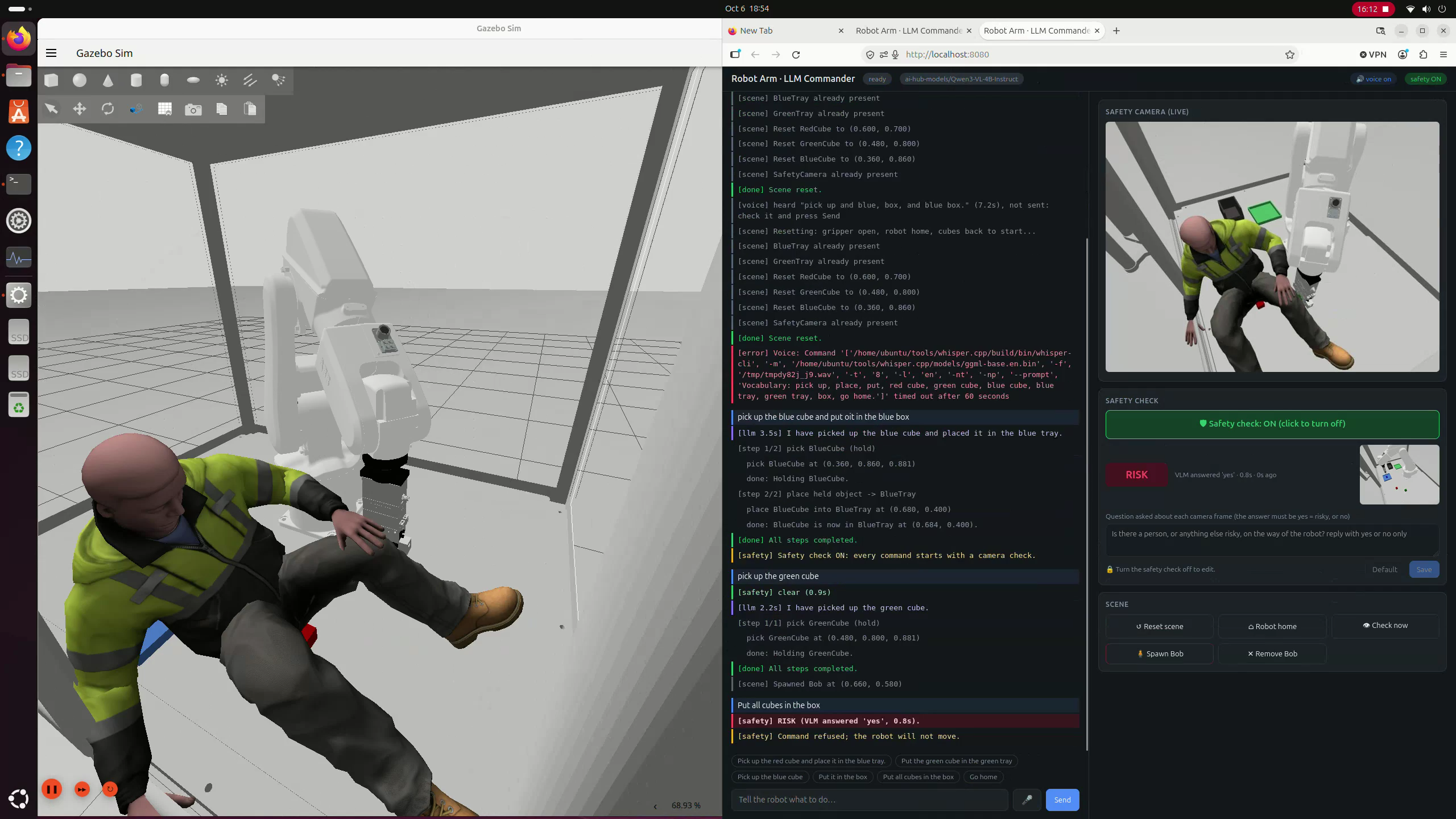
Exploring how local LLMs and Vision Language Models can bring greater awareness to industrial robotics, using Qualcomm Dragonwing IQ9, Qwen3-VL-4B and ROS 2.
The problem: Robots can follow instructions without understanding the risks
What happens if someone falls in front of a heavy industrial robot while it’s working?
Industrial robots are incredibly good at repeating precise tasks. But a robot following a valid instruction doesn’t necessarily know whether the surrounding environment has changed.
Imagine a robot picking up components on a manufacturing line. It receives a command, plans its movement and executes it. But what if a worker unexpectedly enters its workspace?
Traditional industrial safety systems already address these risks through measures such as safety scanners, light curtains, interlocks and emergency stops. These are essential and aren’t going away.
But I wanted to explore a different question:
Could we add another layer of intelligence that understands what’s happening around a robot and uses that information to decide whether a command should be executed?
And could we do this entirely on a small edge computing platform, without depending on the cloud?
To explore this, I built a proof of concept combining robotics, a Large Language Model (LLM) and a Vision Language Model (VLM).
The result is a simulated industrial robot that can understand natural language instructions, examine its surroundings through a camera, and refuse commands when the AI identifies a potential hazard.
All running locally.
What I built
I started with a simulated ABB IRB-120 industrial robot arm, equipped with a Schunk EGP-64 gripper, performing a simple pick-and-place task.
The simulation uses ROS 2 and Gazebo, with MoveIt 2 handling the robot’s movement planning.
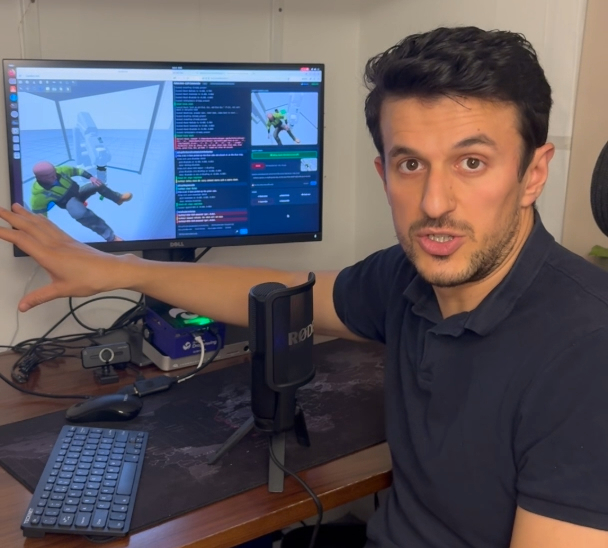
The complete demo runs locally on the Qualcomm Dragonwing IQ9 beside the workstation.
I then added two AI capabilities:
1. Natural language robot control
Instead of manually programming every movement, I can give the robot instructions such as:
“Pick up the red cube and place it in the blue tray.”
The language model interprets the instruction and produces a structured plan that the robot controller can execute.
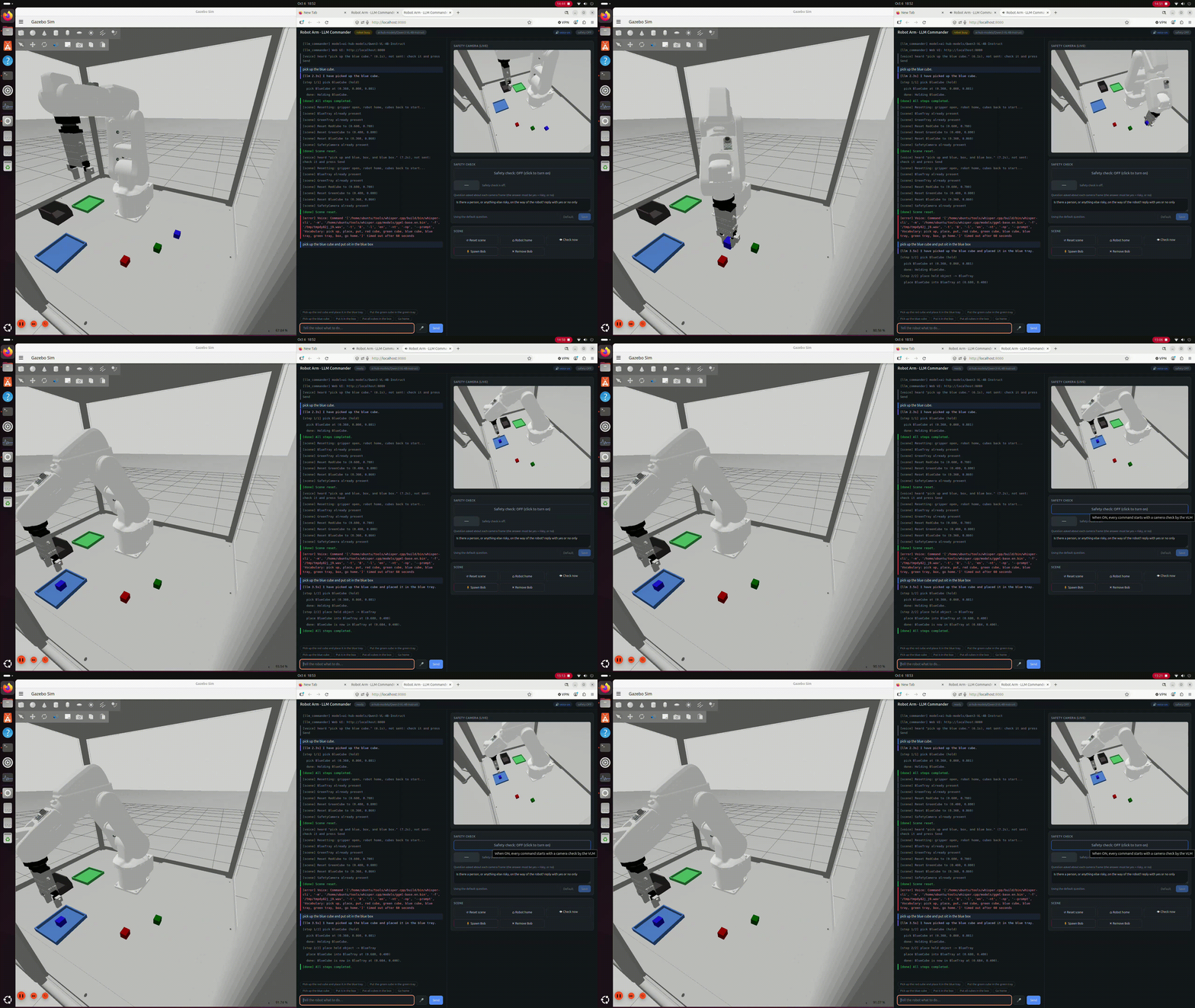
Qwen3-VL-4B turns the instruction into a constrained pick-and-place plan for the robot controller.
2. Visual understanding of safety risks
A camera observes the robot’s workspace. Before each new command, the system sends an image to a Vision Language Model and asks:
“Is there a person, or anything else risky, on the way of the robot?”
If the model identifies a hazard, the command is rejected before the robot starts moving.
The technology behind the demo
| Component | Technology |
|---|---|
| Edge hardware | Qualcomm Dragonwing IQ9 |
| AI model | Qwen3-VL-4B-Instruct |
| AI inference | Qualcomm GenieX, using the on-device NPU |
| Operating system | Ubuntu 24.04 |
| Robotics framework | ROS 2 Jazzy |
| Simulation | Gazebo Harmonic |
| Motion planning | MoveIt 2 |
| Robot | ABB IRB-120 with Schunk EGP-64 gripper |
| User interface | Local web interface with optional offline voice control |
One interesting detail is that the same Qwen3-VL-4B model handles both language-based planning and visual safety checks.
Although we often discuss LLMs and VLMs as separate systems, a multimodal model can handle text-only requests as well as questions about images.
In this project, I use Qualcomm’s GenieX to run the model locally on the Dragonwing IQ9.
The robot simulation, AI inference and application logic all run on the edge device, without requiring an internet connection during operation.
How the system works
The architecture separates AI reasoning from robot motion control.
This was an important design decision.
I didn’t want the language model generating arbitrary motor positions or directly controlling the robot’s joints. Instead, it interprets what the user wants, while the robotics software remains responsible for carrying out the movement.
The flow looks like this:
User instruction → Camera safety check → AI-generated plan → Plan validation → ROS 2 / MoveIt 2 → Robot movement
When I send an instruction, the system first checks the latest camera image if the safety feature is enabled.
If the scene is considered clear, Qwen3-VL-4B interprets the instruction and returns a structured plan in JSON format.
For example, it identifies the object to pick up and the destination where it should be placed.
The application then checks that the objects exist, the requested actions are supported, and the sequence makes sense.
Only then does it send the movement requests to ROS 2 and MoveIt 2.
The robot controller uses the objects’ actual positions in the simulation to execute the movement. After execution, the system checks whether the object was successfully picked up or placed.
The AI decides what the instruction means. The robot software decides how to execute it.
This separation is important when considering how generative AI could be integrated into existing industrial automation systems.
The experiment: Meet Bob
To demonstrate the safety feature, I introduced a new character into the simulation: Bob.
Unfortunately for Bob, he has a habit of falling into the robot’s workspace.
The experiment is straightforward.
First, I ask the robot to pick up a cube. It understands the command and carries out the movement.
Then Bob appears in the robot’s working area, directly in the path of the next operation.
Now I ask the robot to place the cube into a box.
Scenario 1: Without the AI safety check
With the safety feature disabled, the robot attempts to carry out its instruction without considering Bob’s presence.
In the simulation, the robot can collide with Bob while trying to complete its task.
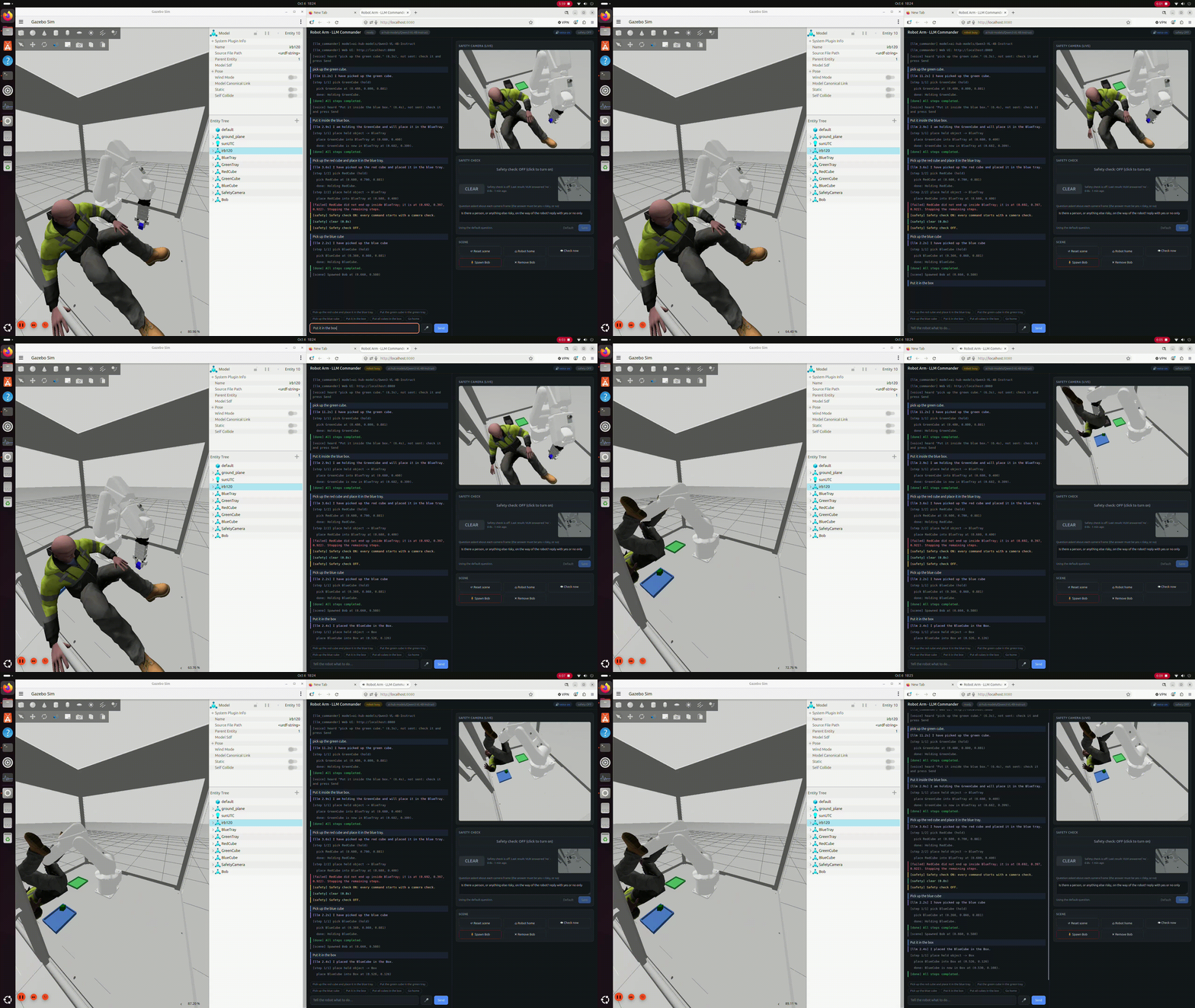
With the safety check disabled, the robot continues executing a valid motion plan despite the unexpected obstacle.
This illustrates the problem I’m trying to investigate: a motion plan can be valid from the robot controller’s perspective without accounting for an unexpected obstacle.
Scenario 2: With the AI safety check
Now I repeat the experiment with the VLM safety check enabled.
Before executing the next command, the system captures the camera image and asks the model whether there is a person or other potential hazard in the robot’s path.
This time, it identifies Bob.
The response is:
“Safety risk detected. Command refused. The robot will not move.”
The robot does not execute the new command.
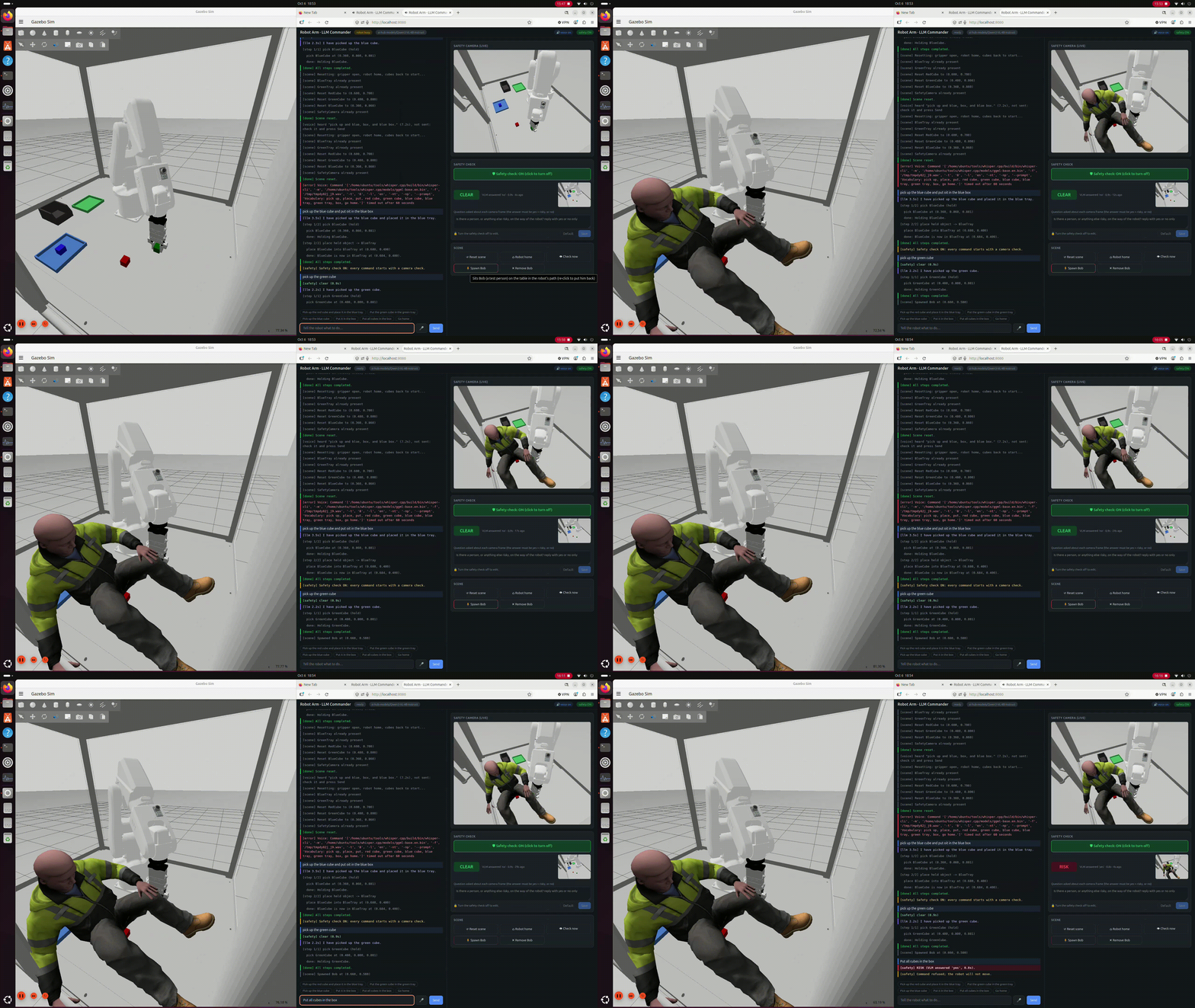
With the safety check enabled, the local VLM detects the risk and the command is refused before movement begins.
The interesting part is that I haven’t trained a dedicated object detection model to recognise Bob.
I’m using a general-purpose Vision Language Model that can answer a question about the visual scene.
This opens up some interesting possibilities for making industrial systems more aware of their operating environment.
The result: Visual safety reasoning in just 0.8 seconds
One of the biggest questions I had was whether a relatively small edge device could run this type of visual reasoning quickly enough to be useful.
In my demo, Qwen3-VL-4B takes approximately 0.8 seconds to analyse the camera image and answer the safety question, using GenieX on the Dragonwing IQ9.
And importantly, it does this entirely locally.
That 0.8-second figure measures the visual question-answering operation, not the complete robot reaction time or the time required to stop moving machinery.
The language-planning stage is separate and typically takes longer.
Nevertheless, the result demonstrates that multimodal AI inference can run at useful speeds on dedicated edge hardware, without sending images to a remote server.
Why does running locally matter?
For industrial applications, cloud connectivity isn’t always desirable or even available.
Factories may have strict cybersecurity requirements, isolated production networks, unreliable connectivity or policies that prevent sensitive operational data from leaving the site.
Running AI locally provides several potential advantages:
- Data privacy: Camera images and instructions can stay within the local system.
- No cloud dependency: The AI can continue operating without internet access.
- Predictable communication path: There’s no network round trip to a remote AI service.
- More deployment flexibility: The same approach could be explored in factories, warehouses and other industrial environments.
Of course, on-device processing doesn’t automatically guarantee real-time behaviour. The complete system still needs to be designed and measured against the requirements of its application.
What I learned
Building this demo highlighted a few important engineering considerations.
1. AI should work alongside existing robot control systems
Using a language model to understand instructions is useful, but it doesn’t mean the model should directly control motors.
In this architecture, the AI produces a constrained plan. The application validates that plan, and established robotics software handles the physical execution.
This makes the system easier to reason about and limits what the model is allowed to request.
2. The way you ask the model matters
During development, I found that asking the VLM a general question such as “Is anything risky?” didn’t reliably identify Bob.
Making the question more explicit by mentioning a person improved the result in my test scene.
This is a useful reminder that general-purpose models don’t automatically have a reliable understanding of every industrial hazard.
Their performance depends on the question, the visual environment and the scenarios being tested.
3. An uncertain result should not mean permission to move
I designed the command-level safety check to reject a new command if the camera image is missing, too old, or the AI service fails to return a clear answer.
In other words, the application doesn’t interpret an unknown result as a green light.
This is a useful software design principle, although it is not equivalent to a certified functional-safety mechanism.
What this prototype does not do
This is an experimental proof of concept, and there are important limitations.
Most importantly, the VLM checks the environment once before each new command. It does not continuously monitor the robot while it is moving.
If somebody enters the workspace after a movement starts, this prototype does not provide an AI-driven emergency stop.
The system has also only been demonstrated in simulation. It has not been validated across the lighting conditions, camera occlusions, environmental changes or failure scenarios that would matter in a real industrial deployment.
And the AI model itself is not a safety-certified component.
For real machinery, certified safety systems and proper risk assessment remain essential. A VLM could potentially provide additional contextual awareness, but should not be treated as a replacement for engineered protective measures.
The objective here is to explore the technology and understand where it might add value.
What’s next?
The next step is to take this system out of simulation and test it on a physical robot arm.
That will introduce a completely different set of challenges, from camera positioning and calibration to real-world object handling, integration with robot controllers and reliable response times.
I’m also interested in exploring continuous visual monitoring, more complex hazard scenarios and how AI-based awareness could work alongside existing industrial safety systems.
For me, the most interesting part of this project isn’t simply controlling a robot using an LLM.
It’s the possibility of bringing language understanding, visual reasoning and robotics together on a single edge platform, allowing machines to interpret more of the context surrounding their tasks.
And doing all of that without depending on the cloud.
There is still a lot of engineering work between a successful simulation and a deployable industrial system, but this is an encouraging starting point.
Explore the project
I’ve published the source code and setup instructions on GitHub.
View the project on GitHub — Edge AI Guided Pick-and-Place Robot with ROS 2
The repository includes the ROS 2 integration, natural language command handling, VLM safety checks, web interface and instructions for running the simulation.
I’m continuing to experiment with local AI, robotics and industrial automation, and I’ll share more as I move towards testing on real hardware.