
Production-Grade, Fail-Safe OTA for a Multi-Processor IoT Appliance
A complete blueprint for updating a fleet of connected appliances that contain an embedded Linux SoC, a real-time microcontroller, an on-device ML model, a display/UI, plus the cloud services and dashboards that talk to them.
This document is opinionated. It describes what a system that survives contact with 100,000 devices in the field actually looks like, and it enumerates the failure modes that will eventually happen to you, with a concrete mitigation for each one.
Table of Contents
- The System Under Update
- Non-Negotiable Design Principles
- The Release Model: Bundles, Manifests, Compatibility
- Device-Side Architecture
- Updating Embedded Linux (A/B Root Filesystems)
- Updating the Microcontroller Firmware
- Updating the ML Model
- Updating Cloud, API and Dashboard
- Health Gating and the Confirmation Contract
- Rollout Orchestration: Cohorts, Canaries, Circuit Breakers
- Security and Threat Model
- Failure Mode and Effects Analysis (the big table)
- Deadlock, Brick and Bootloop Escape Hatches
- Observability: What You Must Measure
- Testing: HIL Farm, Fault Injection, Chaos
- Operational Runbooks
- Reference Technology Stack
- Implementation Checklist
The Product We Are Updating
Before any of the update machinery makes sense, it helps to be concrete about the product itself.
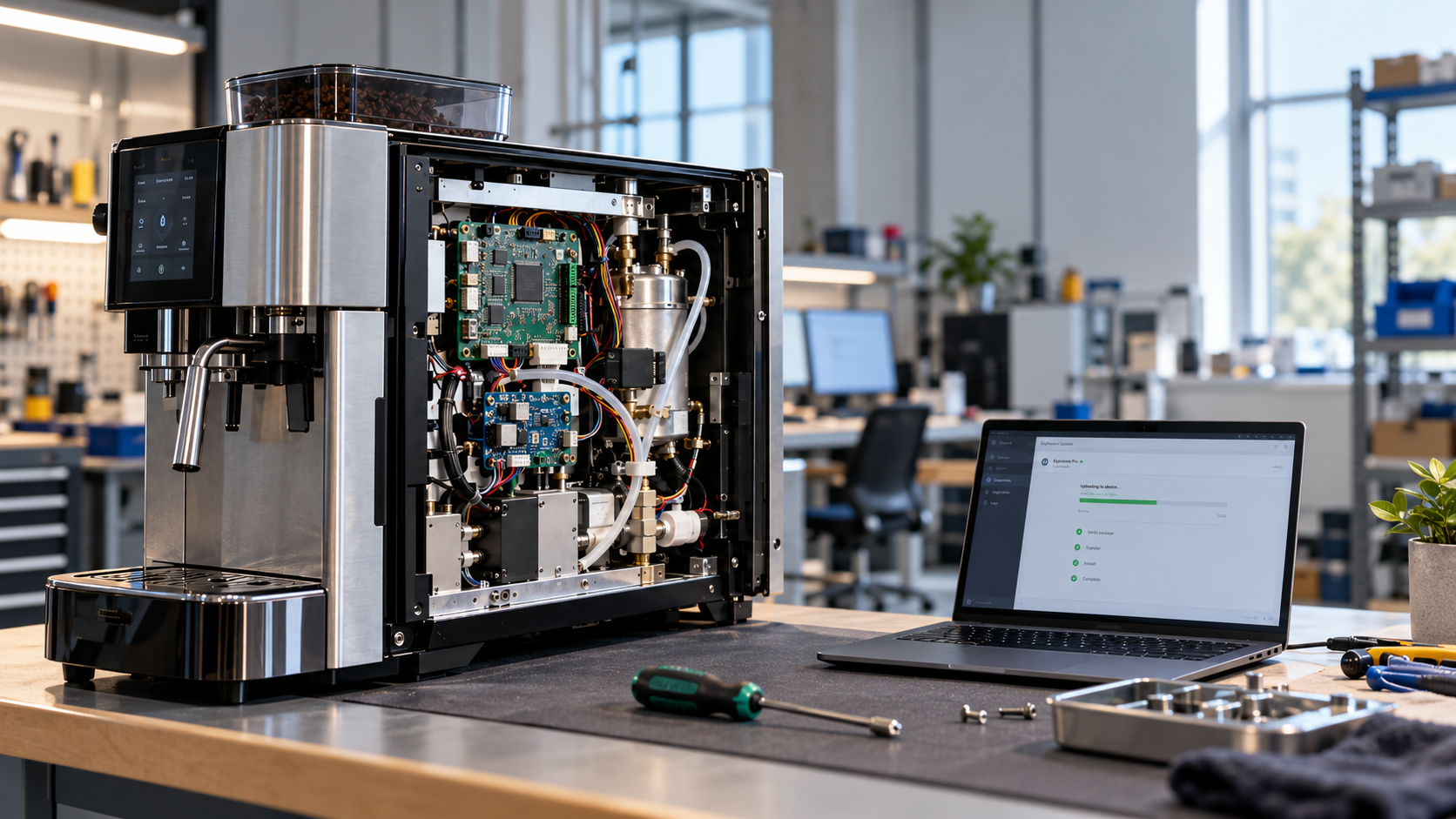
The product is a connected appliance. Picture something roughly the size of a small washing machine or a commercial coffee machine, installed in homes or small businesses, plugged into mains power and joined to the customer’s Wi-Fi. It runs jobs or cycles on behalf of a user, it reads its physical environment through a set of sensors, and it acts on that environment through heaters, pumps, valves, motors or relays. There is no camera anywhere in the product, so every input is a scalar or a low-rate signal rather than a video stream. A screen on the front panel lets the user start a job, watch its progress and change settings. Tens of thousands of these units are already deployed, and the number grows every quarter.
Inside the enclosure there are two processors with very different jobs.
The real-time microcontroller owns physics. It samples the sensors at a fixed rate, drives the actuators with precise timing, and enforces the safety interlocks that must hold whatever else goes wrong. It has no operating system worth speaking of, its timing is deterministic, and it is the only part of the system trusted to decide that a heater must switch off right now. Its software is a firmware binary.
The embedded Linux SoC owns everything else. It runs the application logic that decides what cycle to execute, renders the user interface on the display, holds the connection to the cloud, buffers telemetry while offline, and hosts the machine learning model. It talks to the microcontroller over a serial link with a framed protocol, sending setpoints down and receiving sensor readings and status up. Its software is a Linux root filesystem plus a set of applications.
The machine learning model is small and runs on the Linux side. It consumes recent sensor values and predicts simple things, such as whether a component is drifting out of tolerance or whether the current cycle is likely to fail. It produces a score. It never commands an actuator directly, because a statistical model has no business driving physical hardware. Its software is a model file plus the metadata describing how the model expects to be fed.
Outside the box, the cloud terminates the device connections, ingests telemetry, stores fleet state and sends commands back down. The dashboard sits on top of that, showing engineering and support teams what the fleet is doing and giving operators the controls to act on it.
graph TB
  USER(["End user"])
  OPS(["Support / engineering"])

  subgraph BOX["The appliance, deployed in the field"]
    direction TB

    subgraph PHYS["Physical domain"]
      SENS["Sensors<br/>temperature, pressure, flow,<br/>vibration, current, humidity"]
      ACT["Actuators<br/>heaters, pumps, valves,<br/>motors, relays"]
    end

    subgraph RT["Real-time microcontroller: owns physics"]
      LOOP["Control loop<br/>fixed-rate sampling, PWM,<br/>deterministic timing"]
      SAFE["Safety interlocks<br/>hard limits independent of<br/>application logic"]
    end

    subgraph LINUX["Embedded Linux SoC: owns everything else"]
      APPL["Application logic<br/>cycle selection, scheduling,<br/>business rules"]
      UIX["Display and local UI"]
      MDL["ML inference<br/>predicts drift and failures<br/>from sensor history"]
      CONN["Connectivity<br/>TLS, telemetry spool,<br/>offline buffering"]
    end
  end

  subgraph CLOUD["Cloud"]
    ING["Device gateway<br/>+ telemetry ingest"]
    STATE["Fleet state,<br/>history, analytics"]
    CMD["Command and<br/>configuration service"]
  end

  DASH["Dashboard<br/>fleet health, per-device drill-down,<br/>operator controls"]

  USER --> UIX
  UIX --> APPL
  APPL -->|"setpoints, cycle commands"| LOOP
  LOOP -->|"sensor values, status, faults"| APPL
  SENS --> LOOP
  LOOP --> ACT
  SAFE -.->|"can always override"| ACT
  APPL --> MDL
  MDL -->|"advisory score"| APPL
  APPL --> CONN
  CONN <-->|"telemetry up, commands down"| ING
  ING --> STATE
  CMD --> ING
  STATE --> DASH
  DASH --> CMD
  OPS --> DASH
Four pieces of software are therefore in the field at once, and each has its own update story. The Linux root filesystem and applications are large and change often. The microcontroller firmware is small, changes rarely, and carries physical risk when it changes. The ML model is tiny, changes on its own cadence driven by data rather than features, and fails silently rather than loudly. The cloud and dashboard change constantly and reach every device at once.
Devices are online most of the time but not all of the time. Wi-Fi drops, routers reboot, customers go on holiday and unplug the appliance, and some units sit behind captive portals or corporate proxies that behave badly. An update system that assumes a stable connection will work in the lab and fail in the field.
The rest of this document is about how to change all four of those pieces of software, safely, across the whole fleet, without ever producing a device that cannot be recovered remotely.
1. The System Under Update
The same product, viewed through the lens of what can be updated and what happens when an update goes wrong.
The appliance is not one computer. It is a distributed system in a plastic box. Every box in the field is a separate availability domain that you cannot SSH into.
graph TB
  subgraph FIELD["Field: N devices"]
    subgraph DEV["Appliance"]
      subgraph LIN["Embedded Linux SoC"]
        APP["Application services<br/>(control loop, UI, connectivity)"]
        UI["Display / Local UI"]
        ML["ML inference runtime<br/>+ versioned model artifact"]
        UA["Update Agent<br/>(download, verify, install, confirm)"]
        BL["Bootloader<br/>(U-Boot / UEFI + slot state)"]
        STORE["Persistent data partition<br/>(config, logs, telemetry spool)"]
      end
      subgraph MCUB["Real-time MCU"]
        MBL["MCU Bootloader<br/>(A/B slots, CRC, rollback)"]
        MFW["MCU Firmware<br/>(sensor sampling, actuator PWM, safety interlocks)"]
      end
      SENS["Sensors"]
      ACT["Actuators"]
    end
  end

  APP <-->|"IPC / shared memory"| UI
  APP <--> ML
  APP <-->|"UART / SPI / CAN<br/>framed protocol"| MFW
  MFW --> ACT
  SENS --> MFW
  BL --> APP
  MBL --> MFW
  UA --> BL
  UA -->|"firmware transfer"| MBL

  subgraph CLOUD["Cloud"]
    MQ["Device Gateway<br/>(MQTT/TLS, mTLS auth)"]
    OTA["OTA Service<br/>(campaigns, cohorts, policy)"]
    REG["Device Registry / Shadow<br/>(reported vs desired state)"]
    ART["Artifact Store + CDN<br/>(signed bundles, range requests)"]
    TSDB["Telemetry / Metrics / Logs"]
    KMS["Signing Service / HSM"]
    DASH["Dashboard + Fleet Console"]
  end

  UA <-->|"campaign poll / status"| OTA
  APP <-->|"telemetry, commands"| MQ
  UA -->|"HTTPS range GET"| ART
  MQ --> TSDB
  OTA --> REG
  KMS -.->|"signs releases"| ART
  TSDB --> DASH
  OTA --> DASH
The five update domains
| # | Domain | Update unit | Failure blast radius | Rollback cost |
|---|---|---|---|---|
| 1 | Linux OS + rootfs | A/B rootfs image | Whole device offline | Cheap (reboot to other slot) |
| 2 | Applications / containers | OCI images or app partition | Device degraded | Cheap |
| 3 | MCU firmware | Signed binary into MCU slot | Physical safety, actuator control | Medium (MCU reboot, ~seconds of blind time) |
| 4 | ML model | Model file + metadata | Bad predictions, silent | Cheap (swap file) |
| 5 | Cloud/API/Dashboard | Container deploy | Whole fleet at once | Cheap but fleet-wide |
The asymmetry that defines the design: the cloud is the easiest thing to update and the most dangerous, because a bad cloud deploy hits 100% of devices in 30 seconds. The MCU is the hardest to update and the most physically dangerous. Design accordingly.
2. Non-Negotiable Design Principles
Every update is atomic and transactional. There is no state in which the device is halfway updated. Either the new version is fully committed or the old one is still running, and nothing in between is ever observable from outside.
Power can be cut at any instruction. Assume a user unplugs the appliance in the middle of a flash write. The device must still boot afterwards. Always.
Nothing installs without cryptographic verification. The signature is checked before install, the hash is re-checked once the write lands, and the bootloader verifies the image again at boot. Three checks at three different moments, because each one catches a different class of fault.
The device is the final authority on its own health. The cloud proposes and the device disposes. A device has to be able to reject an update and roll itself back with zero cloud contact, because the cloud is frequently the thing that is broken.
Rollback is a first-class feature rather than an emergency procedure. It runs in CI on every release, exercised exactly the way the forward path is.
Update the system rather than the components. Devices run a system release, which is a pinned tuple of rootfs, applications, MCU firmware and model. You ship tuples, never loose files.
Never trust “the update finished” as a success signal. Success means the device passed a functional health check after reboot and then confirmed itself.
Downgrade must be possible but never automatic across a security boundary. Anti-rollback counters block forced downgrade attacks, while a signed operator override handles the legitimate case where you genuinely need to go backwards.
Bandwidth is expensive and connectivity is flaky. Differential updates, resumable downloads and randomised jitter are requirements rather than optimisations.
The update path must be simpler than the thing it updates. The update agent, the bootloader and the recovery path carry the highest assurance requirements in the product. Keep them small, keep them boring and change them rarely.
3. The Release Model: Bundles, Manifests, Compatibility
3.1 System release
A system release is an immutable, signed manifest that names exact versions of every component and declares the compatibility constraints between them.
graph LR
  SR["System Release 2026.09.0<br/>signed manifest"] --> A["rootfs 5.4.1<br/>sha256:ab12…"]
  SR --> B["app-bundle 12.7.0<br/>sha256:cd34…"]
  SR --> C["mcu-fw 3.2.0<br/>sha256:ef56…"]
  SR --> D["model anomaly-v9<br/>sha256:7890…"]
  SR --> E["Compatibility rules<br/>min_bootloader, hw_rev, mcu_proto"]
  SR --> F["Migration steps<br/>schema v7 → v8"]
3.2 Manifest example
{
  "schema": 2,
  "release_id": "2026.09.0",
  "created_at": "2026-09-01T10:00:00Z",
  "compatible_hardware": ["APPL-A-rev3", "APPL-A-rev4"],
  "requires": {
    "min_bootloader_version": "2.1.0",
    "min_current_release": "2026.05.0",
    "mcu_protocol_range": [4, 6]
  },
  "anti_rollback_index": 17,
  "components": [
    {
      "name": "rootfs",
      "version": "5.4.1",
      "type": "raw-image",
      "target": "slot",
      "size": 412000000,
      "sha256": "ab12…",
      "delta_from": { "5.4.0": { "url": "…/rootfs-5.4.0-5.4.1.xdelta", "sha256": "…" } },
      "install_order": 20,
      "requires_reboot": true
    },
    {
      "name": "mcu-fw",
      "version": "3.2.0",
      "type": "mcu-binary",
      "protocol_version": 6,
      "sha256": "ef56…",
      "install_order": 30,
      "install_when": "actuators_idle",
      "requires_reboot": false
    },
    {
      "name": "ml-model",
      "version": "anomaly-v9",
      "type": "model",
      "runtime": "tflite>=2.14",
      "input_schema_hash": "9f2c…",
      "sha256": "7890…",
      "install_order": 40,
      "shadow_eval_hours": 72
    }
  ],
  "health_checks": ["boot_ok", "mcu_link_ok", "sensors_ok", "cloud_ok", "ui_ok", "model_ok"],
  "confirm_window_seconds": 900,
  "signature": {
    "alg": "ed25519",
    "key_id": "release-2026-Q3",
    "value": "…"
  }
}
3.3 Version compatibility is a matrix, not a line
You will eventually have devices on 8 different releases simultaneously. Every cloud API and
every MCU protocol change must be evaluated against the oldest release still in the field,
not against main.
Four rules keep this tractable. The MCU to Linux protocol is version-negotiated on the link
handshake: Linux advertises a supported range [proto_min, proto_max], the MCU announces its own
version, and the pair settles on the highest number both understand. Never ship a Linux
application that speaks only the newest protocol.
The device to cloud API accepts additive changes only within a major version. Devices send their release ID on every connection so the gateway can shim behaviour for older builds.
The model to feature extractor binding is enforced by the input_schema_hash carried in the
model artifact. The runtime refuses to load a model whose schema hash does not match the feature
extractor it is paired with, which removes an entire class of silent corruption bugs.
Stepping stones handle the long tail. If 2026.09.0 cannot be applied directly on top of
2025.02.0, the OTA service computes an upgrade path such as 2025.02 -> 2025.11 -> 2026.09 and
drives the device through each hop. Never let a device work this path out for itself.
4. Device-Side Architecture
4.1 Partition layout (Linux)
+---------------------------+
| Bootloader (U-Boot) + env |  redundant env copies, A/B
+---------------------------+
| Bootloader env backup     |
+---------------------------+
| rootfs_A   (read-only)    |  dm-verity protected
+---------------------------+
| rootfs_B   (read-only)    |  dm-verity protected
+---------------------------+
| appdata    (read-write)   |  ext4, journaled, survives updates
+---------------------------+
| models     (read-write)   |  A/B model dirs + active symlink
+---------------------------+
| mcu_fw     (read-write)   |  staging area for MCU images
+---------------------------+
| recovery   (read-only)    |  minimal initramfs + update agent
+---------------------------+
| factory    (read-only)    |  last-resort known-good, never written
+---------------------------+
Root filesystems are read-only and integrity-protected with dm-verity, so “the filesystem got
corrupted by a bad flash sector” becomes a detectable and recoverable event instead of a mystery
crash three weeks later. All mutable state lives in appdata, and if you cannot factory-reset a
device by wiping exactly one partition then your layout is wrong. The factory partition is
written once during manufacturing and never again. It is the floor you cannot fall through.
4.2 The update agent state machine
stateDiagram-v2
  [*] --> Idle
  Idle --> Checking: poll campaign / push notification
  Checking --> Idle: no update / not in cohort / blocked by policy
  Checking --> Downloading: manifest verified + compatible

  Downloading --> Downloading: resume after network drop
  Downloading --> Failed: hash mismatch / retries exhausted
  Downloading --> Verified: full bundle hash + signature OK

  Verified --> WaitingForWindow: device busy / user in session / actuator active
  WaitingForWindow --> Installing: safe window reached
  Verified --> Installing: safe now

  Installing --> Failed: write error / target rejects image
  Installing --> Installed: inactive slot written + verified byte-for-byte

  Installed --> Rebooting: mark slot "try", boot_count=0
  Rebooting --> Testing: booted into new slot

  Testing --> Confirmed: all health checks pass within window
  Testing --> RollingBack: health check fail / watchdog / confirm timeout
  Rebooting --> RollingBack: bootloader boot_count exceeded

  Confirmed --> Idle: report success, mark slot good
  RollingBack --> Idle: booted old slot, report failure + diagnostics
  Failed --> Idle: exponential backoff, report failure
  Failed --> Quarantined: N consecutive failures
  Quarantined --> Idle: operator clears / new release
4.3 Install ordering inside one transaction
Order matters enormously. The rule: install the hardest-to-reverse thing when everything else is already known good.
flowchart TD
  S["Start install"] --> D1["1. Download + verify ALL components<br/>Nothing is written until everything is on disk"]
  D1 --> D2["2. Write Linux rootfs to inactive slot"]
  D2 --> D3["3. Verify inactive slot hash (read back)"]
  D3 --> D4["4. Stage MCU firmware + model in appdata<br/>(not applied yet)"]
  D4 --> D5["5. Mark slot as TRY, set boot_count=0"]
  D5 --> D6["6. Reboot into new rootfs"]
  D6 --> D7["7. New rootfs runs early health checks"]
  D7 --> D8{"Linux healthy?"}
  D8 -->|No| RB["Roll back to old slot"]
  D8 -->|Yes| D9["8. Wait for actuator-idle window"]
  D9 --> D10["9. Push MCU firmware into MCU inactive slot"]
  D10 --> D11["10. MCU verifies CRC+signature, swaps, reboots"]
  D11 --> D12{"MCU link + self-test OK?"}
  D12 -->|No| MRB["MCU auto-reverts to previous slot<br/>Linux rolls back too"]
  D12 -->|Yes| D13["11. Activate new model in shadow mode"]
  D13 --> D14["12. Run full functional health suite"]
  D14 --> D15{"All green?"}
  D15 -->|No| RB
  D15 -->|Yes| C["13. CONFIRM: mark slot GOOD,<br/>bump anti-rollback, report to cloud"]
  RB --> R["Reboot old slot, report diagnostics"]
  MRB --> R
Why the reboot happens before the MCU update: rolling back Linux is free. Rolling back the MCU is not. If you update the MCU first and the Linux image turns out to be broken, you are now running old Linux against new MCU firmware, a combination nobody has ever tested. Prove Linux boots first, then touch the MCU.
5. Updating Embedded Linux (A/B Root Filesystems)
5.1 Why A/B and not in-place
| Approach | Power-fail safe | Rollback | Storage cost | Verdict |
|---|---|---|---|---|
| Package manager (apt/opkg) in place | ❌ | ❌ | Low | Never for fleets |
| Single image + recovery partition | ⚠️ (recovery must work) | Slow | Medium | Acceptable minimum |
| A/B slots (dual-rootfs) | ✅ | Instant | 2× rootfs | Recommended |
| A/B + delta | ✅ | Instant | 2× rootfs | Recommended at scale |
| OSTree / atomic tree | ✅ | Instant | ~1.3× | Good for large, similar images |
5.2 Bootloader responsibilities
The bootloader is the only component that can save you from a bad rootfs. Its logic must be trivial enough to be reviewed line by line.
/* Pseudocode: U-Boot boot slot selection, executed every boot */
slot = env.boot_order[0];               /* e.g. "A" */

for (i = 0; i < NUM_SLOTS; i++) {
    slot = env.boot_order[i];

    if (env.slot[slot].state == BAD)          continue;
    if (env.slot[slot].tries_remaining == 0) { env.slot[slot].state = BAD; continue; }

    if (!verify_signature(slot))         { env.slot[slot].state = BAD; continue; }

    if (env.slot[slot].state == TRY) {
        env.slot[slot].tries_remaining--;     /* decrement BEFORE booting */
        env_save_atomic();                    /* redundant env copies, CRC'd */
    }
    boot(slot);                               /* does not return */
}

boot_recovery();                              /* both slots unbootable */
Three details are routinely got wrong here. First, decrement the try counter before jumping to the kernel and persist it immediately. If you decrement only after a successful boot, a kernel panic loop runs forever. Second, the environment must be redundant and CRC-protected: two copies, write one, fsync, then write the other. A torn write to the only copy of the boot environment is a brick. Third, the bootloader itself should be updated almost never. If you genuinely must update it, use an SPL and second-stage split where only the second stage is writable, or a hardware-backed fallback such as a boot ROM alternate offset. A failed bootloader update means an RMA.
5.3 Delta updates
Full rootfs images run from 300 MB to 1 GB. Over cellular, across 100k devices, that becomes a budget line item rather than a technical detail.
Use binary deltas produced by xdelta3, bsdiff, casync/desync chunking or OSTree static
deltas. Deltas are generated per source version, so publish them for the most common source
versions and always keep the full image available as a fallback. Always verify the hash of the
reconstructed image rather than the hash of the delta, because a correct delta applied to a
subtly wrong source produces garbage that passes every check except the final one. Make your
images reproducible so deltas stay small: non-deterministic builds with embedded timestamps,
random inode ordering or leaked build paths will turn a 4 MB delta into a 300 MB one.
5.4 Resumable, polite downloads
GET /artifacts/rootfs-5.4.1.delta HTTP/1.1
Range: bytes=104857600-
If-Match: "sha256:ab12…"
Resume with HTTP range requests and persist download progress across reboots, since an appliance may well be power-cycled halfway through. Verify chunk-level hashes as you go so a corrupt CDN edge is caught at 5% rather than at 100%. Bandwidth-limit the transfer so the device stays responsive and does not saturate a customer’s home connection.
Above all, jitter everything. Randomise campaign poll times and download start times across a window of hours. A fleet of 100,000 devices that all wake at 03:00 UTC will run a denial of service attack against your own CDN and your own gateway.
6. Updating the Microcontroller Firmware
This is where physical harm lives. The MCU drives actuators and enforces safety interlocks.
6.1 MCU-side requirements
The MCU needs A/B slots in its flash, or failing that a bootloader plus a single application slot backed by a golden image fallback. A/B is strongly preferred wherever flash size allows it.
The MCU bootloader validates the application image on every boot. CRC32 is the bare minimum; signature verification is better, and most Cortex-M4 class parts and above have the cycles and ROM for ed25519 or ECDSA-P256 with the public key held in write-protected flash. An independent watchdog, armed by the bootloader before it jumps into the application, catches firmware that starts but never becomes healthy.
Rollback on failure to check in is the core safety property. After booting a new image the MCU
treats it as pending until Linux sends an explicit FW_CONFIRM. If no confirmation arrives within
N seconds the MCU reverts to the previous slot on its own. It never erases the running slot, which
sounds obvious and is nevertheless a recurring bug.
Entering the bootloader must drive every actuator output to its defined safe state, with heaters off, valves closed and motors braked. Wherever possible this should be the hardware default rather than a software action. Pull-down resistors and enable pins that are inactive at reset mean even a bootloader crash leaves the appliance safe.
6.2 Transfer protocol
sequenceDiagram
  participant L as Linux Update Agent
  participant M as MCU Bootloader/App
  participant A as Actuators

  L->>M: GET_INFO
  M-->>L: {hw_rev, proto=6, active_slot=A, fw=3.1.0, free=B}
  L->>M: QUERY_SAFE_TO_UPDATE
  M-->>L: BUSY (heater active)
  Note over L,M: Wait for idle window (or user-approved maintenance window)
  L->>M: QUERY_SAFE_TO_UPDATE
  M-->>L: READY
  M->>A: Drive safe state, disable outputs
  L->>M: BEGIN_UPDATE(slot=B, size, sha256, fw_version=3.2.0)
  M-->>L: ACK (slot B erased)
  loop chunks of 1 to 4 KB
    L->>M: DATA(seq, payload, crc16)
    M-->>L: ACK(seq) / NAK(seq)
  end
  L->>M: END_UPDATE(signature)
  M->>M: Verify hash + signature over slot B
  alt Verification fails
    M-->>L: ERROR_VERIFY
    M->>M: Mark slot B invalid, keep running A
  else OK
    M-->>L: OK
    L->>M: SWAP_AND_RESET(pending=true)
    M->>M: Set boot_slot=B, state=TRY, reset
    M->>M: Bootloader validates B, boots, arms watchdog
    M-->>L: HELLO(fw=3.2.0, proto=6, state=TRY)
    L->>M: RUN_SELFTEST
    M-->>L: SELFTEST_RESULT(sensors ok, ADC ref ok, actuator drivers ok)
    alt Self-test + link OK
      L->>M: FW_CONFIRM
      M->>M: state=GOOD, slot A becomes spare
    else Anything wrong / no HELLO in 30 s
      M->>M: Watchdog/timeout → revert to slot A
      L->>L: Mark MCU update failed, roll back system release
    end
  end
Several details harden this protocol. Chunks are idempotent, sequenced and individually
CRC-protected with explicit ACK and NAK, so a UART glitch costs one retransmitted chunk instead
of the whole image. A session token issued in BEGIN_UPDATE and echoed in every chunk stops a
reboot mid-transfer from splicing two different images together. The MCU bootloader enforces its
own inactivity timeout: if no chunk arrives for 60 seconds it aborts the session and returns to
the running application, because sitting in the bootloader forever waiting for a dead host is
just a slower kind of brick. Version and hardware gating lives in the MCU as well as in Linux, so
the MCU rejects firmware built for the wrong hardware revision even when Linux asks nicely.
6.3 The nastiest MCU case: bootloader-only device
If the MCU has no room for A/B slots, the sequence “erase app, then write app” opens a window in which power loss leaves no valid application at all. Three mitigations exist, in descending order of preference.
The best option is external SPI flash used as a staging area, with a bootloader that copies and verifies. Power loss during the copy is fully recoverable because the source image is still intact. Failing that, keep a minimal golden image in write-protected flash whose only capabilities are accepting new firmware over the wire and holding actuators in a safe state. At absolute minimum, the bootloader must detect an invalid application via CRC and enter a permanent recovery-listen mode. A device in that state is degraded, though it stays recoverable in the field rather than becoming an RMA.
7. Updating the ML Model
Model updates feel harmless. They are the most likely to fail silently and the least likely to be caught by a health check that only asks “did it boot”.
7.1 The model artifact is more than the weights
{
  "model_id": "anomaly-v9",
  "trained_at": "2026-08-20",
  "runtime": "tflite",
  "runtime_min_version": "2.14",
  "input_schema_hash": "9f2c…",
  "features": ["temp_c", "vibration_rms", "pressure_kpa", "duty_cycle"],
  "normalization": { "temp_c": { "mean": 41.2, "std": 8.7 } },
  "output": { "type": "score", "range": [0, 1], "threshold": 0.82 },
  "expected_latency_ms_p95": 12,
  "expected_memory_mb": 18,
  "training_data_window": "2025-06..2026-07",
  "offline_metrics": { "auc": 0.94, "fpr_at_95tpr": 0.03 },
  "sha256": "7890…"
}
The input_schema_hash carries most of the safety weight here. It hashes the ordered feature
list together with the units and preprocessing applied to each one. The feature extractor in the
application computes the same hash at startup, and a mismatch means the runtime refuses to load
the model, falls back to the previous one and reports the discrepancy. This single check prevents
the classic disaster in which feature order changed during training but never on the device, and
the model quietly emits noise for six months while everyone admires the offline metrics.
7.2 Shadow mode is mandatory
flowchart LR
  F["Sensor features"] --> P["Model v8 (ACTIVE)<br/>drives decisions"]
  F --> S["Model v9 (SHADOW)<br/>output logged only"]
  P --> ACT["Actuator / alert decisions"]
  P --> T["Telemetry"]
  S --> T
  T --> CMP["Cloud: compare distributions<br/>agreement rate, drift, latency, memory"]
  CMP --> G{"v9 meets<br/>promotion gates?"}
  G -->|Yes| PR["Promote v9 to ACTIVE<br/>via signed release"]
  G -->|No| KILL["Abort, keep v8,<br/>alert ML team"]
Every promotion gate has to hold across the whole shadow window, typically 24 to 168 hours on a representative cohort. Agreement with the previous model must sit inside expected bounds, and agreement that is too high is equally suspicious because it usually means the new model was never actually loaded. The score distribution has to stay within a KS-divergence threshold of the offline expectation. The p95 inference latency and peak RSS have to fit the declared budget, since a model three times slower can starve the control loop. Finally, the downstream false-alarm rate must not rise on the subset of devices where ground truth is available.
7.3 Runtime safety rails
Inference runs in its own process under cgroup CPU and memory limits, so a model that runs out of memory cannot take the control application down with it. A timeout and circuit breaker wrap every call: when inference exceeds its budget the cycle is skipped and the deterministic fallback heuristic takes over. The control loop never blocks waiting on the model.
The model never commands actuators directly. It produces a score, and version-controlled deterministic logic combined with MCU-side interlocks decides what to actually do and enforces the limits. Model directories are arranged A/B with an atomic symlink swap, and the previous model stays on disk so a local rollback needs no network at all.
7.4 Runtime/model coupling
If anomaly-v9 needs TFLite 2.16 and the device rootfs ships 2.14, that model belongs to a
rootfs release rather than a standalone model push. The manifest’s runtime_min_version makes
the device refuse the mismatch instead of crashing on an unsupported op. Consider pinning the
runtime version for the model’s entire lifetime and only upgrading runtimes as part of a full
system release with HIL numerical-equivalence tests attached, since quantised ops do change their
results between runtime versions.
8. Updating Cloud, API and Dashboard
Devices are spread across eight versions while the cloud runs exactly one. That makes the cloud the most conservative component in the system, and the one with the largest blast radius.
Contract tests run against every supported device release. CI spins up emulated devices for each release still in the field and runs them against the candidate cloud build. If the oldest supported release breaks, the deploy is blocked. Schema and API changes follow expand, migrate, then contract: add the new field, dual-write, backfill, migrate readers, and only remove the old field once the last device using it has retired. Those steps never happen in the same release.
The OTA service sits on the critical path for recovery, so it has to be the most available service you own. If the OTA control plane is down you cannot stop a bad rollout. Give it its own deployment cadence, its own error budget and no dependency whatsoever on the analytics stack. Apply progressive delivery to the cloud too, with blue/green or canary deployment on the device gateway and automatic rollback triggered by device-reported error rates.
Reconnect storms deserve specific attention because they are a self-inflicted outage. When the gateway restarts, every device reconnects at once. Exponential backoff with full jitter on the device is mandatory, alongside server-side connection rate limiting and a “come back at T plus X” hint in the disconnect frame.
The dashboard is an emergency brake as much as a viewer. Pause campaign, abort campaign and force-rollback-cohort each need to be one click, permissioned, audited, and rehearsed every quarter so that whoever reaches for them at 03:00 has done it before.
9. Health Gating and the Confirmation Contract
“Installed” ≠ “working”. The confirmation contract turns an update into a two-phase commit.
9.1 Layered health checks
| Layer | Check | Timeout | Failure action |
|---|---|---|---|
| L0 Bootloader | Slot signature valid, try-counter | n/a | Boot other slot |
| L1 Early boot | Kernel booted, rootfs verity OK, critical mounts | 60 s | Hardware watchdog reset → other slot |
| L2 Services | All critical systemd units active, no crash loops | 120 s | Roll back |
| L3 Peripherals | MCU link handshake, protocol negotiated, sensors returning plausible values, display initialised | 180 s | Roll back |
| L4 Connectivity | TLS to gateway, clock sync, credentials valid, telemetry accepted | 300 s | Roll back (see caveat) |
| L5 Functional | End-to-end self test: read sensor → decide → actuate no-op → observe feedback; model loads and scores a golden input to an expected value | 600 s | Roll back |
| L6 Soak | No crashes, no memory growth, no thermal anomalies over the confirm window | 15 min to 24 h | Roll back |
Caveat on L4: be very careful about making cloud connectivity a rollback trigger. If your gateway has an outage, every device mid-update rolls back simultaneously and you learn nothing except that you built a fleet-wide self-destruct button. The safer policy is that a connectivity failure extends the confirmation window and raises an alert, and only triggers rollback when local checks at layers L1 to L3 also implicate the update, or when the device had stable connectivity on the old release and now cannot connect after M attempts spread across hours rather than minutes.
9.2 The confirmation itself
/* Runs after all health checks pass. Order is critical. */
if (health_all_pass()) {
    mark_slot_good(current_slot);      /* 1. persist locally FIRST */
    set_boot_order(current_slot);      /* 2. make it default */
    bump_antirollback_if_required();   /* 3. only for security releases */
    report_to_cloud(SUCCESS, metrics); /* 4. cloud is informed last */
}
Local commit precedes cloud reporting. A device that is healthy but temporarily offline must not roll back a working update just because it could not phone home.
9.3 Watchdogs, layered
Watchdogs work in layers. The hardware watchdog, whether an SoC WDT or an external IC, is kicked
by a userspace daemon whose own liveness depends on the health of the critical services. It must
never be kicked by a bare loop in a cron job, because that proves only that the scheduler is
running. The boot-count watchdog inside the bootloader covers kernel panics that happen before
userspace exists at all. Application watchdogs use systemd WatchdogSec per service together
with Restart=on-failure and StartLimitBurst, so a crash-looping service escalates into a
system-level failure instead of hammering forever in place. The MCU keeps its own independent
watchdog, which doubles as the last line of defence for actuator safety.
10. Rollout Orchestration: Cohorts, Canaries, Circuit Breakers
flowchart TD
  R["Release built + signed"] --> HIL["HIL farm: 20 real devices,<br/>all hardware revs, fault injection"]
  HIL -->|pass| INT["Internal fleet: ~50 devices<br/>dogfood, 48 h soak"]
  INT -->|pass| C1["Canary: 0.5% of fleet<br/>diverse geo/hw/connectivity<br/>24 h bake"]
  C1 --> G1{"Success ≥ 99%?<br/>Crash rate flat?<br/>No support ticket spike?"}
  G1 -->|No| HALT["HALT + auto-rollback cohort<br/>page on-call"]
  G1 -->|Yes| C2["Wave 1: 5%"]
  C2 --> G2{"Gates"}
  G2 -->|No| HALT
  G2 -->|Yes| C3["Wave 2: 25%"]
  C3 --> G3{"Gates"}
  G3 -->|No| HALT
  G3 -->|Yes| C4["Wave 3: 100%<br/>rate-limited by CDN + gateway capacity"]
  C4 --> DONE["Release GA<br/>keep N-1 artifacts hosted for rollback"]
  HALT --> RCA["Root cause, fix, new release"]
10.1 Cohort selection
Canaries have to be representative rather than convenient. Stratify them by hardware revision and component vendor, because that second ADC supplier will eventually bite you. Stratify by firmware history too, since devices that skipped three releases behave differently from devices that took every hop. Cover the full spread of connectivity, from fibre through flaky cellular to devices sitting behind a hostile corporate proxy, and spread across geographies and timezones to catch locale, clock and regulatory differences. Include both heavy and light usage, an appliance run twenty hours a day alongside one run for an hour a week. Deliberately include devices with known-marginal hardware and high prior error rates, because those are exactly the units that surface a marginal update.
Keep VIP customers, safety-critical installations, devices with known-bad connectivity and devices in the middle of a warranty claim out of the canary entirely.
10.2 Automatic circuit breakers
Halt the campaign automatically when, within a rolling window:
| Signal | Threshold (tune to your fleet) |
|---|---|
| Update failure rate | > 2% of attempts |
| Rollback rate | > 1% of installs |
| Devices not reporting back within 2× expected time | > 1% |
| Post-update crash rate | > 1.5× pre-update baseline |
| Devices dropping offline permanently | > 0.1%. This is the brick detector, treat as SEV-1 |
| Support ticket rate for updated cohort | > 2× baseline |
| MCU-specific: self-test failures | > 0.2% |
The circuit breaker must be automatic and must not require the dashboard to be healthy. A human noticing at 03:00 is not a control system.
10.3 Device-side policy
Maintenance windows are user-configurable and default to local night hours, and an update never lands in the middle of an appliance cycle. Consent and deferral are handled on the display with a simple “update tonight?” prompt, a bounded number of deferrals, and a clearly labelled forced path for security-critical releases. Power gating matters whenever the device has a battery or unstable mains: require a minimum power state before install, and use a supercap or brown-out detector to gate flash writes where the hardware offers one. Never flash a device that is thermally throttling, and refuse to start at all when free space sits below the image size times 1.2.
11. Security and Threat Model
| Threat | Mitigation |
|---|---|
| Attacker serves malicious firmware | Signature verification on device with keys in write-protected/OTP storage; TLS with certificate pinning is defence-in-depth, not a substitute for artifact signing |
| Compromised build server | Sign in an HSM/KMS in a separate trust domain; reproducible builds; two-person release approval; transparency log of all released artifact hashes |
| Downgrade attack to a version with a known CVE | Monotonic anti-rollback counter in OTP/eFuse or a secure monotonic counter; bumped only on security releases; documented, signed operator override for legitimate downgrades |
| Replay of an old valid campaign | Nonce + expiry in the campaign token; device tracks last-seen campaign sequence number |
| Device impersonation to harvest firmware | mTLS with per-device keys generated in a secure element at manufacture; never a shared fleet credential |
| Firmware extraction from artifact store | Artifacts encrypted at rest and delivered over per-device signed URLs; encrypt the payload itself if IP protection matters (device decrypts with a key from the secure element) |
| Physical attack: reflash via JTAG/SWD | Disable/lock debug ports in production; secure boot chain rooted in ROM; treat physical compromise of one device as a given and never let one device’s keys unlock the fleet |
| Malicious/compromised cloud operator | Release signing separated from deployment permissions; every campaign action audited and immutable; rate limits on how many devices any single action can affect |
| Key compromise | Key rotation plan that works over OTA: devices trust a set of keys, new keys are introduced signed by old, old keys are revoked in a later release. Test this before you need it. Keep an offline root key |
| Supply chain in the artifact | SBOM per release, CVE scanning gate in CI, pinned dependencies, verified base images |
| Denial of service via update storm | Server-side campaign rate limiting, per-device backoff with jitter, CDN capacity planning |
Secure boot chain: ROM → bootloader (signed, verified by ROM) → kernel + dtb (signed, verified by bootloader) → rootfs (dm-verity root hash in signed kernel cmdline) → application signatures. Each link verifies the next. The MCU has its own parallel chain.
12. Failure Mode and Effects Analysis
This is the section to read twice. Everything here has happened to someone.
12.1 Download and transport
| ID | Failure mode | Effect | Detection | Mitigation / Recovery |
|---|---|---|---|---|
| D1 | Connection drops mid-download | Wasted bandwidth, stalled update | Byte count vs expected | Resumable HTTP range requests; persist progress across reboots; exponential backoff with jitter |
| D2 | Corrupted bytes from a bad CDN edge or flaky NAND cache | Invalid image | Chunk hashes + full-bundle hash | Re-fetch failed chunk; after 3 failures, switch CDN edge/origin; blocklist the edge and alert |
| D3 | Captive portal or transparent proxy returns HTML with 200 OK | “Downloaded” garbage | Content-Type + hash mismatch | Hash check catches it; detect captive portals explicitly; pin TLS to reject MITM proxies |
| D4 | Device on metered cellular | Customer bill shock / carrier throttling | Interface type + data budget counters | Metered-connection policy: defer, or download deltas only, or require Wi-Fi; hard monthly data cap in the agent |
| D5 | 100k devices download at once | CDN and gateway overload, self-DDoS | Egress and connection metrics | Randomised jitter over hours; server-side token bucket for campaign admission; rate-limited waves |
| D6 | Artifact deleted from store while campaign is live | Mass update failure | 404 rate | Immutable artifact retention policy (never delete a release referenced by any device); lifecycle rules that require an explicit retirement step |
| D7 | Clock is wrong → TLS certificate rejected | Cannot download anything | TLS validation failure code | RTC with battery; NTP with a fallback pool; allow a bounded clock-skew grace path for the update channel only; secure time from the gateway handshake |
| D8 | Expired device certificate | Device permanently locked out of the fleet | Cert expiry monitoring | Automated renewal well before expiry (renew at 50% of lifetime); alert on the fleet-wide expiry histogram; long-lived bootstrap credential as fallback |
| D9 | DNS hijacked or resolver broken | Cannot reach OTA service | Resolution failures | Multiple resolvers, hardcoded fallback IPs, DoH; signatures make hijack non-fatal |
12.2 Storage and install
| ID | Failure mode | Effect | Detection | Mitigation / Recovery |
|---|---|---|---|---|
| S1 | Disk full mid-write | Install fails, possibly corrupt slot | statvfs before + ENOSPC |
Pre-flight free-space check with margin; log rotation and telemetry spool caps; a garbage-collect step that runs before every campaign |
| S2 | Power loss during rootfs write | Inactive slot corrupt | Post-write read-back hash | A/B: active slot untouched, device boots normally, retries later. This is why you never write the running slot |
| S3 | Power loss during bootloader env write | Brick | Not detectable afterwards | Redundant env copies with CRC, write-then-fsync-then-write-other; bootloader falls back to the valid copy |
| S4 | eMMC/NAND wear-out or bad blocks | Silent corruption over years | SMART/eMMC health, ECC error counters, verity failures | Report eMMC lifetime in telemetry; alert on devices approaching wear limits; minimise writes (read-only rootfs, log rate limits, noatime); proactive RMA before failure |
| S5 | Filesystem corruption on the data partition | Config lost, services fail | Mount errors, fsck | Journaled FS; critical config stored in duplicate with CRC and atomic rename; auto-fsck with a “reset to defaults and continue” path rather than refusing to boot |
| S6 | Bit rot in an idle slot (unused for a year) | Rollback target is corrupt | Periodic background scrub | Scrub both slots monthly; if the inactive slot is bad, re-provision it from the network before you need it |
| S7 | Delta applied to the wrong base | Garbage image that “installed successfully” | Final image hash check | Verify source image hash before applying a delta; verify result hash after |
| S8 | Read-back verification skipped for speed | Undetected bad flash | None by design | Never skip it. Read back and hash the written slot. It costs seconds and saves trucks |
12.3 Boot and runtime
| ID | Failure mode | Effect | Detection | Mitigation / Recovery |
|---|---|---|---|---|
| B1 | New kernel panics on boot | Bootloop | Bootloader try counter | Auto-rollback after N tries; capture panic log to a persistent ring buffer (pstore/ramoops) and upload after rollback |
| B2 | Kernel boots, userspace hangs | Device appears on but dead | Hardware watchdog not kicked | WDT reset → try counter decrements → rollback |
| B3 | New kernel lacks a driver for a hardware variant | Sensors/display dead on a subset of devices | L3 peripheral health check | Health check catches it and rolls back; hardware-diverse canary cohort catches it before wave 1 |
| B4 | Device boots healthy but the confirm daemon crashes | Healthy device rolls itself back | Confirm timeout | Make confirmation the simplest possible code path; separate it from the app; alert on “rolled back but health was green” |
| B5 | Health check itself is buggy (false negative) | Good updates roll back fleet-wide | Rollback rate spike in canary | Health checks are versioned, unit-tested and HIL-tested; canary catches it at 0.5% |
| B6 | Health check is too permissive (false positive) | Broken update confirmed and promoted | Post-confirm crash/telemetry anomalies | Long soak gate (L6) after confirm; post-confirm regression detection can still trigger a forward fix or a cloud-commanded rollback |
| B7 | Memory leak appears only after days | Gradual fleet degradation, OOM | RSS trend telemetry per service | Soak in the internal fleet ≥ 1 week; memory-growth alarms; cgroup limits so one service dies instead of the system |
| B8 | Both slots become bad | Device unbootable | Bootloader falls through | Boot recovery partition; if that fails, boot factory partition; recovery can pull a fresh image over the network |
| B9 | Time jumps backwards after NTP sync | Timers fire wrong, TLS oddities, log confusion | Clock-step events | Use CLOCK_MONOTONIC for all timeouts and watchdogs, never wall clock |
| B10 | Update lands mid appliance-cycle | User’s job ruined, possible mess | Device busy state | Never install while a cycle is running; QUERY_SAFE_TO_UPDATE gate + user-visible maintenance window |
12.4 MCU-specific
| ID | Failure mode | Effect | Detection | Mitigation / Recovery |
|---|---|---|---|---|
| M1 | Power loss mid MCU flash | MCU has no valid app | Bootloader CRC check | A/B slots; or bootloader enters recovery-listen mode; actuators default-safe at reset by hardware |
| M2 | UART noise corrupts firmware chunks | Bad image | Per-chunk CRC + final signature | NAK/retransmit; final signature verification before swap |
| M3 | New MCU firmware speaks a newer protocol than Linux | Link dead, device inert | Handshake version negotiation | Version negotiation with an overlap range; never ship an MCU protocol break in the same release as anything else; Linux always supports N and N-1 |
| M4 | New MCU firmware has a subtle timing regression | Actuator misbehaviour, possible safety issue | Self-test + runtime plausibility checks + hardware interlocks | HIL testing with real actuators and scope-verified timing; MCU-side hard limits independent of firmware logic; hardware interlocks (thermal fuse, pressure relief) that no firmware can override |
| M5 | MCU updated, Linux rolls back → mismatched pair | Untested combination in the field | Version pair reported in telemetry | Install MCU after Linux is proven; on Linux rollback, also revert the MCU; treat “unknown version pair” as a health failure |
| M6 | MCU stuck in bootloader waiting for a host that never comes | Device inert | Bootloader session timeout | 60 s inactivity timeout → return to app; if no valid app, blink a diagnostic code on the display/LED |
| M7 | Linux crashes mid-transfer | Partial write | Session token + slot state | MCU aborts session, erases target slot, keeps running current; Linux restarts transfer from scratch |
| M8 | Brown-out during MCU reset causes partial register init | Erratic behaviour | BOR/POR flags read at startup | Enable brown-out detection at a safe threshold; log reset cause in telemetry (reset-cause histograms are a superb early warning) |
12.5 ML model
| ID | Failure mode | Effect | Detection | Mitigation / Recovery |
|---|---|---|---|---|
| L1 | Feature order/units changed in training but not on device | Silently wrong predictions | input_schema_hash mismatch |
Refuse to load; fall back to previous model; alert |
| L2 | Model too slow or too large for the SoC | Control loop starvation, OOM | Latency/RSS budgets in the manifest, measured at load | Reject at load if over budget; run inference in a cgroup-limited process; circuit breaker skips inference |
| L3 | Distribution shift, for example a model trained on old sensor hardware | Degrading accuracy over months | Drift monitoring on input feature distributions and output scores | Continuous drift dashboards; retraining triggers; per-hardware-revision model variants |
| L4 | Model trained on data from a buggy firmware version | Learns the bug | Data lineage tagged with device release | Tag every training row with firmware/model versions; exclude known-bad windows; require lineage review before training |
| L5 | Runtime upgrade changes quantised op results | Different predictions, same model file | Golden-input regression test on device | Golden vector test at load: score a fixed input, compare to expected within tolerance; failure → reject model |
| L6 | Model outputs used directly to drive an actuator | Physical risk from a statistical artifact | Design review | Model outputs advisory scores only; deterministic policy + MCU interlocks make the actual decisions |
| L7 | New model is “better” offline, worse in the field | Regression in customer experience | Shadow-mode comparison | Mandatory shadow window with promotion gates before activation |
12.6 Cloud, fleet and process
| ID | Failure mode | Effect | Detection | Mitigation / Recovery |
|---|---|---|---|---|
| C1 | Bad cloud deploy breaks the device protocol | Entire fleet offline at once | Connection count cliff | Contract tests vs all supported releases; canary the gateway; auto-rollback on connection-rate drop; devices keep working offline |
| C2 | OTA service outage during a bad rollout | Cannot stop the campaign | Health checks | OTA control plane is tier-0 with independent deploys; a “global pause” flag stored in a separate, dead-simple, highly available store |
| C3 | Device shadow/desired-state loop | Devices flap between versions | Version oscillation detector | Desired state is a single immutable release ID; devices report before/after; server-side loop breaker after 3 transitions |
| C4 | Wrong cohort targeted (e.g. hw_rev filter typo) |
Incompatible firmware sent to wrong hardware | Device-side hardware compatibility check | Device refuses incompatible manifests, because the last line of defence belongs on the device; plus campaign dry-run showing affected device counts and a two-person approval for > X devices |
| C5 | Device offline for 18 months, comes back on an ancient release | Cannot upgrade directly; may not even have valid certs | Version reported on connect | Stepping-stone upgrade paths; long-lived bootstrap credentials; keep old artifacts hosted forever; a documented “ancient device” onboarding path |
| C6 | Fleet-wide simultaneous rollback triggered by a cloud outage | Mass churn, support storm | Rollback-rate alarm | Never make transient cloud connectivity a rollback trigger by itself (see §9.1 caveat) |
| C7 | Telemetry pipeline saturated by a bad release logging at debug level | Blind during an incident; cost spike | Ingest volume alarms | Per-device rate limits enforced at the gateway; sampling; log level controlled by signed remote config with a safe default |
| C8 | Release built from an unclean tree / wrong branch | Unknown code in the field | Build provenance | Reproducible builds, provenance attestation (SLSA-style), refuse to sign artifacts without a matching git tag and clean tree |
| C9 | No one can tell what version a given device is on | Impossible to debug or comply | Absent unless you build it | Version state is reported on every connect and every heartbeat; fleet inventory is queryable; the display shows the release ID for support calls |
| C10 | Rollback artifact no longer exists | Cannot roll back | Retention audit | Keep N-2 releases hosted and pinned; device keeps the previous slot locally so rollback needs no network at all |
| C11 | Support/field team has no way to recover a device | Truck roll or RMA | Ticket analysis | USB-stick recovery image, local recovery UI, service-mode over local network, documented and rehearsed |
| C12 | Regulatory: update changes certified behaviour | Compliance violation | Release review checklist | Classify releases (safety-relevant vs not); safety-relevant releases require a documented verification pack and possibly re-certification; keep an immutable audit trail of which device ran which software when |
13. Deadlock, Brick and Bootloop Escape Hatches
Layered recovery, from cheapest to most expensive:
flowchart TD
  F["Update fails"] --> L1["Layer 1: Health check fails<br/>→ auto-rollback to previous slot<br/>Cost: one reboot"]
  L1 -->|"previous slot also bad"| L2["Layer 2: Bootloader try-counter exhausted on both slots<br/>→ boot RECOVERY partition<br/>Minimal system: network + update agent + UI"]
  L2 --> L2a["Recovery downloads a known-good full image,<br/>rewrites both slots, reboots"]
  L2 -->|"recovery corrupt"| L3["Layer 3: Boot FACTORY partition<br/>Write-once, never updated<br/>Restores the shipped release"]
  L3 -->|"no network available"| L4["Layer 4: Local recovery<br/>USB mass-storage image with a signed bundle,<br/>triggered by a button combo at power-on"]
  L4 -->|"storage device itself dead"| L5["Layer 5: Service mode<br/>JTAG/SWD or vendor recovery ROM<br/>Field technician / depot repair"]
  L5 --> RMA["RMA"]
Every layer has to be independently testable and actually tested in CI and on the HIL rig for every release. An untested recovery path is decorative. Recovery must run standalone with no dependency on the application rootfs, otherwise it shares fate with the thing it is recovering from.
The user has to get a signal. A device that is silently dead produces a support call carrying no information at all, while a device showing “Update failed, code E-204, retrying” on its display, or blinking a diagnostic pattern, produces an actionable one. Reserve a small status path, an LED pattern or a minimal framebuffer message, that keeps working even from recovery.
Repeated failures get quarantined. After three consecutive failed attempts on the same release the device stops trying, uploads a detailed diagnostic bundle and waits for operator action. A device retrying a doomed 500 MB download every fifteen minutes for a month is both a bandwidth bill and a flash wear problem.
Diagnostic bundle on failure
When an update fails the device collects and uploads a bundle on a best-effort basis, spooling it locally while offline. It carries the release IDs it came from, was heading to and is currently running for each component; the exact failure stage and error code; bootloader state, boot counts and the reset cause register; any kernel panic log recovered from persistent storage such as pstore or ramoops; the last 500 lines of the relevant journals; storage health, free space and download progress; MCU state with the last self-test results; and the network conditions observed during the attempt.
This bundle is what turns “0.7% of devices failed” from a mystery into a bug fix.
14. Observability: What You Must Measure
14.1 Fleet-level dashboard panels
| Panel | Why it matters |
|---|---|
| Version distribution over time (stacked area, per component) | Shows rollout progress and stragglers |
| Update funnel: offered → downloaded → installed → confirmed | Locates exactly which stage leaks devices |
| Rollback rate by release, hardware rev, and cohort | The primary quality signal |
| Devices last seen > 24 h, trended against baseline | The brick detector. Watch this like a hawk during rollouts |
| Time-to-update distribution (p50/p95/p99) | p99 reveals the long tail of flaky-connectivity devices |
| Download bytes and CDN cost per campaign | Catches delta regressions |
| Crash rate and OOM rate per release | Post-confirm regression detection |
| eMMC lifetime histogram and reset-cause histogram | Predicts hardware failures before they happen |
| MCU firmware version vs Linux version pairing matrix | Detects mismatched pairs in the field |
| Model score distribution and shadow agreement | Detects silent ML regressions |
| Support ticket rate per release cohort | The signal your telemetry missed |
14.2 Alerts that page a human
Page a human when the rollback rate crosses its threshold during an active campaign, when the “never came back” count exceeds baseline (treat that one as a SEV-1), or when the update failure rate climbs above the circuit-breaker threshold. Page when gateway connection count drops more than 10% inside five minutes. Page immediately on any device reporting a signature verification failure or an anti-rollback counter mismatch, since both suggest either an attack or a badly botched release. Page when the certificate expiry histogram shows a meaningful number of devices expiring within thirty days, because that failure arrives all at once and cannot be fixed after the fact.
14.3 The most important metric
Devices that stopped talking after an update. Every other metric is reported by the device, so it has survivorship bias built in. A device that bricked cannot tell you it bricked. Compute this from the expected population (registry) minus the observed population, per cohort, and alert on the delta.
15. Testing: HIL Farm, Fault Injection, Chaos
15.1 Hardware-in-the-loop farm
The farm is a rack of real devices covering every hardware revision and every component vendor variant. Programmable power supplies let you cut power at arbitrary points during an update. Network impairment gear introduces latency, packet loss, bandwidth caps, mid-transfer disconnects, captive portals and MITM proxies. Serial and JTAG access gives you post-mortem capability on units that fail to boot. Simulated sensors sit alongside real actuators with a scope or logic analyser on the MCU timing-critical lines. Running over the top of all of it, an automated loop continuously flashes devices back to old releases and upgrades them again.
15.2 Mandatory test matrix per release
| Test | Description |
|---|---|
| Upgrade from every supported release | Including multi-step stepping-stone paths |
| Downgrade to N-1 | Verify rollback path works |
| Power cut at 100 random points during the update | Device must boot every time |
| Power cut specifically during: bootloader env write, MCU flash, model swap | The three highest-risk windows |
| Network drop at 100 random points | Resume must work |
| Corrupt bundle (flipped bits) | Must be rejected, not installed |
| Wrong-signature bundle | Must be rejected |
| Wrong-hardware bundle | Must be rejected by the device |
| Disk full, 1 byte short | Clean failure, device still healthy |
| Health check failure injection at each layer | Rollback must trigger and complete |
| MCU update with actuators active | Must be deferred, not forced |
| Model with mismatched schema hash | Must be rejected, fall back |
| 1000× repeated update cycle | Flash wear and state-machine leak detection |
| Clock set to 2001 and to 2038 | Update path must still function or fail safely |
| Both slots corrupted | Recovery partition must take over |
| Recovery partition corrupted | Factory partition must take over |
15.3 Chaos in the field
Once the basics hold, run continuous low-level chaos on an opt-in internal cohort: random rollbacks, injected health failures, forced recovery boots. The goal is that recovery paths are exercised weekly in reality, not annually in theory.
16. Operational Runbooks
16.1 Emergency: bad release detected in the field
- Pause the campaign (single button, dashboard or CLI). Stops new devices from starting.
- Assess blast radius: how many devices installed, how many confirmed, how many are dark?
- If devices are self-rolling-back, do nothing more; let the mechanism work and monitor.
- If devices are stuck on the bad release (health checks passed but behaviour is wrong), push a cloud-commanded rollback to the affected cohort: set desired release = previous. Devices roll back using their local previous slot, so no download is needed.
- If devices are dark, this is a SEV-1. Determine whether they are unbootable or merely offline. Prepare a recovery-partition-based fix and a field-service plan.
- Freeze all releases, run the RCA, add a regression test that reproduces the failure, only then resume.
16.2 Cloud-commanded rollback
{
  "command": "set_desired_release",
  "target_cohort": "campaign:2026.09.0,status:installed",
  "release_id": "2026.08.2",
  "reason": "SEV-1: MCU link instability on hw_rev4",
  "force_local_slot_swap": true,
  "issued_by": "oncall@…",
  "signature": "…"
}
Devices that have the previous release in their inactive slot roll back in one reboot with zero download. This is the single highest-value capability in the entire system. Protect the inactive slot from being overwritten until the new release has been stable for a defined period.
16.3 Release checklist
- Built from a clean, tagged tree; provenance attested
- SBOM generated, CVE scan clean or exceptions approved
- Signed by the release key in the HSM, two-person approval
- Full HIL matrix green, including power-cut and rollback tests
- Upgrade tested from every release still in the field
- Cloud contract tests green against all supported device releases
- Deltas generated and verified against each supported source version
- N-1 and N-2 artifacts confirmed still hosted
- Rollback rehearsed on the internal fleet
- Circuit-breaker thresholds configured for this campaign
- On-call briefed; release notes and known issues published
- Cohort definition reviewed; dry-run device count matches expectation
17. Reference Technology Stack
Not the only valid choices, but a coherent set that works.
| Concern | Options |
|---|---|
| Linux build system | Yocto (with meta-rauc/meta-mender) or Buildroot |
| A/B update engine | RAUC, Mender, SWUpdate, or OSTree/libostree |
| Bootloader | U-Boot with the bootcount + redundant-env pattern, or UEFI + systemd-boot |
| Integrity | dm-verity for rootfs, fs-verity for individual files |
| Container apps (optional) | Podman with systemd units, or balena/Docker with pinned digests |
| Signing | ed25519 or ECDSA-P256; keys in cloud HSM/KMS; device trust anchor in OTP/secure element |
| Device identity | Per-device key in a secure element (ATECC608, SE050) or TPM; mTLS |
| Transport | MQTT over TLS for control, HTTPS + CDN for artifacts |
| Delta | casync/desync, OSTree static deltas, or xdelta3 |
| MCU bootloader | MCUboot (mature, A/B, signature verification, well tested) |
| MCU RTOS | Zephyr, FreeRTOS, or bare-metal with an explicit safety architecture |
| ML runtime | TFLite Micro / TFLite / ONNX Runtime, pinned per release |
| Fleet backend | AWS IoT Core + Jobs, Azure IoT Hub + Device Update, or self-hosted (EMQX/VerneMQ + custom OTA service) |
| Observability | Prometheus/VictoriaMetrics + Grafana; OpenTelemetry from device to cloud |
| Artifact store | S3/GCS with immutable object lock + CloudFront/Fastly |
Build versus buy: below roughly 10k devices, with no unusual constraints, use a managed device-update service. The value in this document lies in the failure analysis, the health-gating contract, the MCU sequencing and the operational discipline, all of which you have to build yourself regardless of which engine sits underneath.
18. Implementation Checklist
Phase 1: Foundations (do not ship hardware without these)
- A/B partition layout with a data partition and a factory partition
- Bootloader with try-counter, redundant CRC’d environment, and slot selection
- Secure boot chain rooted in ROM; signature verification on device
- Per-device identity in a secure element, provisioned at manufacture
- MCU bootloader with A/B slots and image verification (MCUboot)
- Hardware watchdog wired and enabled
- Recovery partition that can pull a full image over the network
- Actuators default to a safe state at reset, by hardware
Phase 2: Update pipeline
- Signed system-release manifests with compatibility constraints
- Update agent implementing the full state machine, resumable downloads
- Layered health checks + the confirmation contract
- MCU transfer protocol with sequencing, CRC, session tokens, and confirm/revert
- Model artifact format with schema hash, golden-vector test, and shadow mode
- Diagnostic bundle collection and upload on failure
Phase 3: Fleet operations
- Device registry with reported/desired release state
- Campaign service with cohorts, waves, and gates
- Automatic circuit breakers independent of the dashboard
- Cloud-commanded rollback using the local previous slot
- Fleet dashboard with the funnel, rollback rate, and dark-device detector
- Alerting and on-call runbooks
Phase 4: Assurance
- HIL farm with programmable power and network impairment
- Full test matrix in CI, gating every release
- Chaos cohort exercising recovery paths continuously
- Key rotation rehearsed end to end
- Field-service recovery procedure documented and rehearsed
Closing: the three things that actually matter
Everything above collapses into three properties. Hold all three and you will survive. Miss any one of them and you will eventually roll a truck to a customer’s house.
The device can always boot something. A/B slots, a redundant bootloader environment, recovery and factory partitions, and hardware-safe actuator defaults together guarantee there is always a next thing to run.
The device decides its own health locally and can roll back with no network. The cloud is an optimisation for the update path and never a dependency for recovery.
You can stop and reverse a rollout in minutes, and you can see the devices that stopped answering. Automatic circuit breakers cover the first half, and a dark-device detector covers the second, because the broken devices are precisely the ones incapable of reporting that they are broken.